
Why bother? In a browser the guide stops the moment the screen goes dark — that is a rule of the browser, not our choice. The app keeps it running, so you can lock the phone, put it in your pocket and just walk. Everything else is identical: same guide, same map, same purchase.
You do not need the app to use the guide. If you would rather stay in the browser, close this page and carry on — just keep the screen awake.
The app is on Google Play. Install it the usual way — no warnings, and updates arrive on their own:

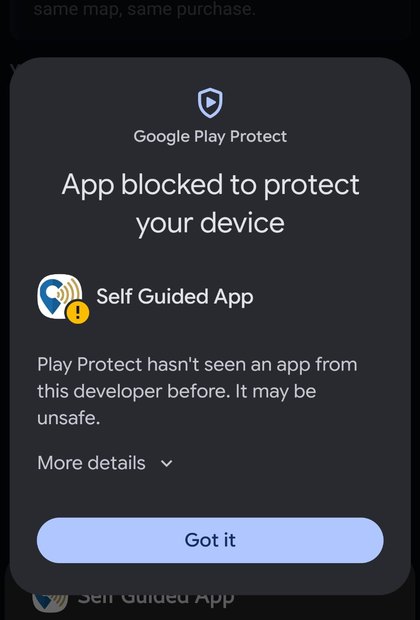
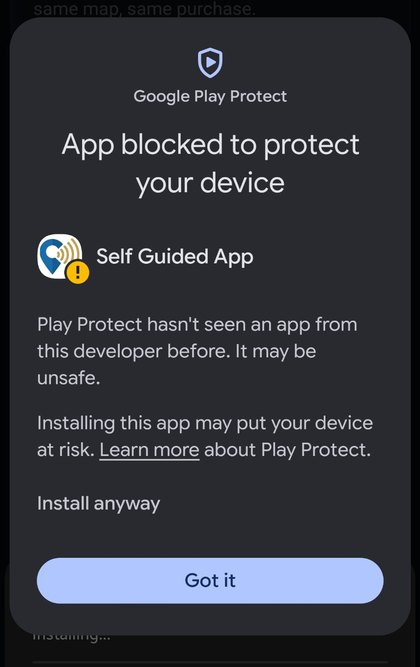
Tap More details instead.
Right after installing, Android grants the app nothing at all. The guide will open, look perfectly normal, and stay completely silent. So the app asks first:
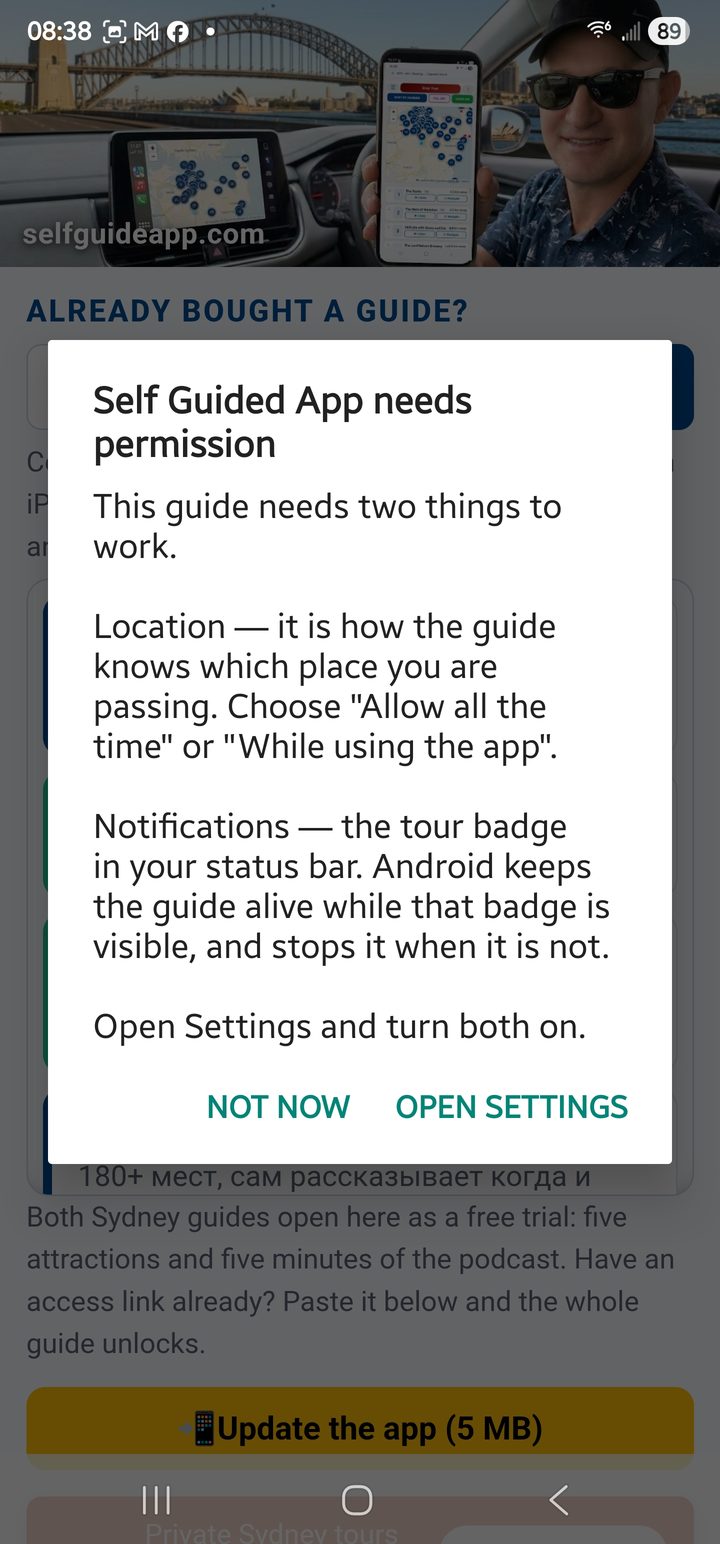
Tap OPEN SETTINGS. Android will not ask again by itself — from here everything is done in Settings.
Location is how the guide knows which place you are passing. Notifications is not decoration: while the tour runs the app shows a badge in your status bar, and Android keeps the guide alive only for as long as that badge can be shown. Block notifications and the stories stop the moment your screen goes dark — the one thing you installed the app for.
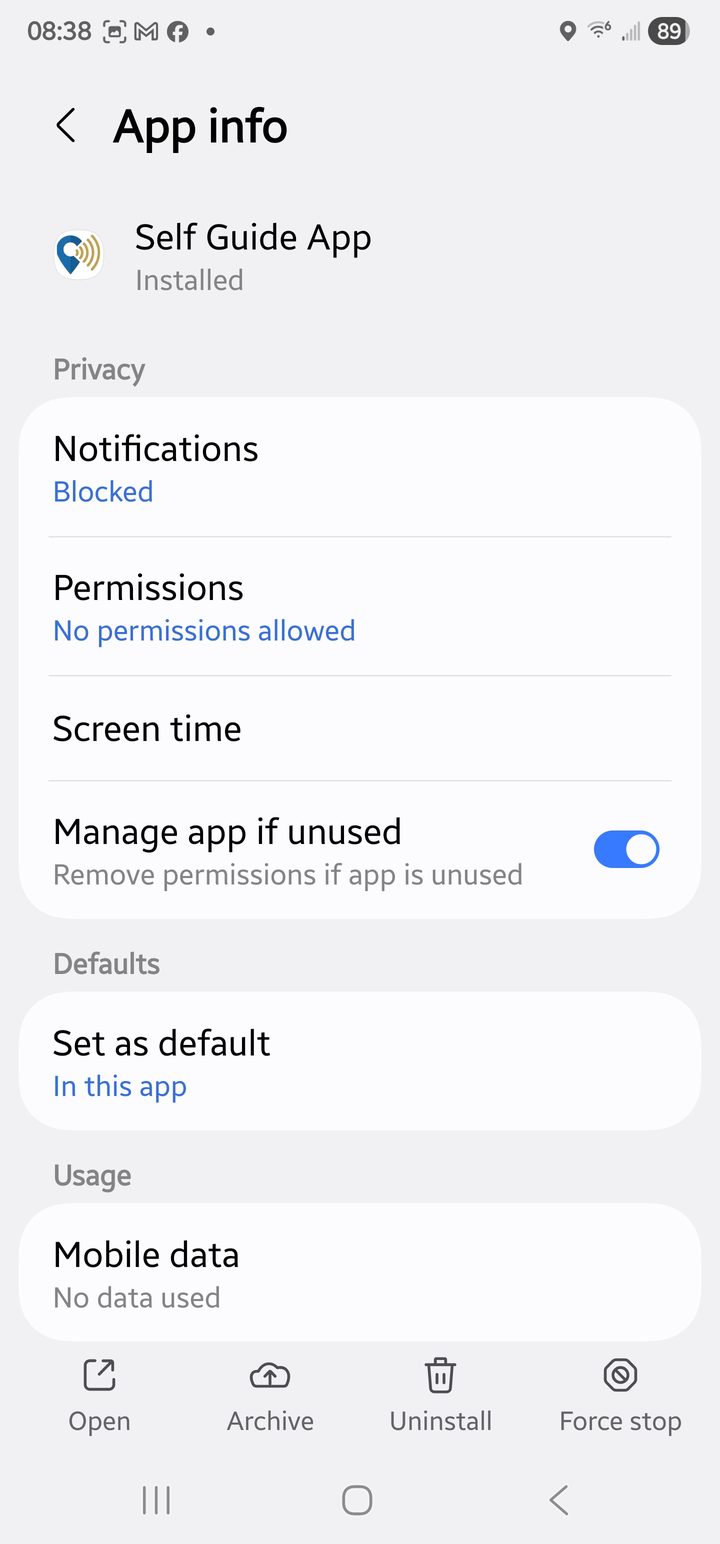
This is what a fresh install looks like: Notifications — Blocked, Permissions — No permissions allowed. Both lines are what you are about to fix.
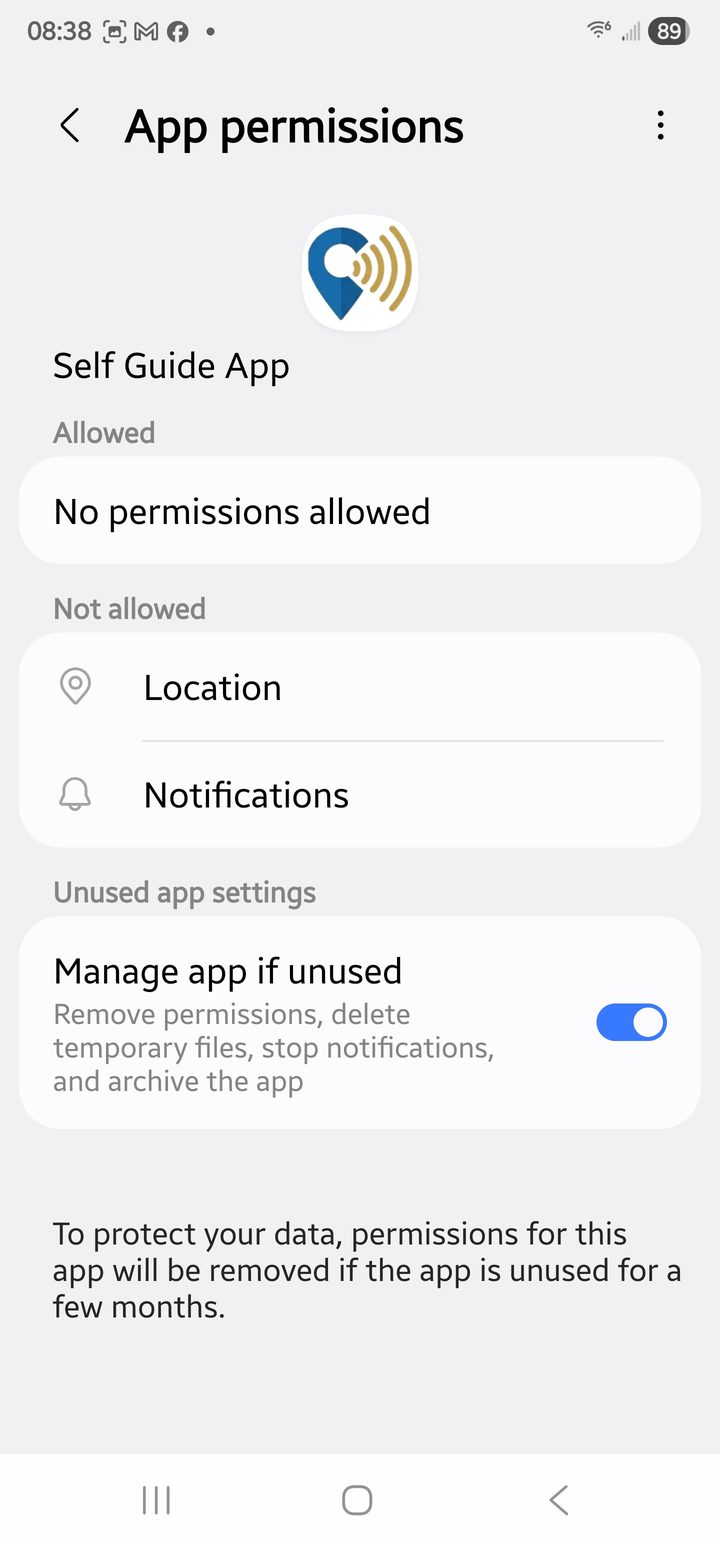
Tap Permissions → Location.
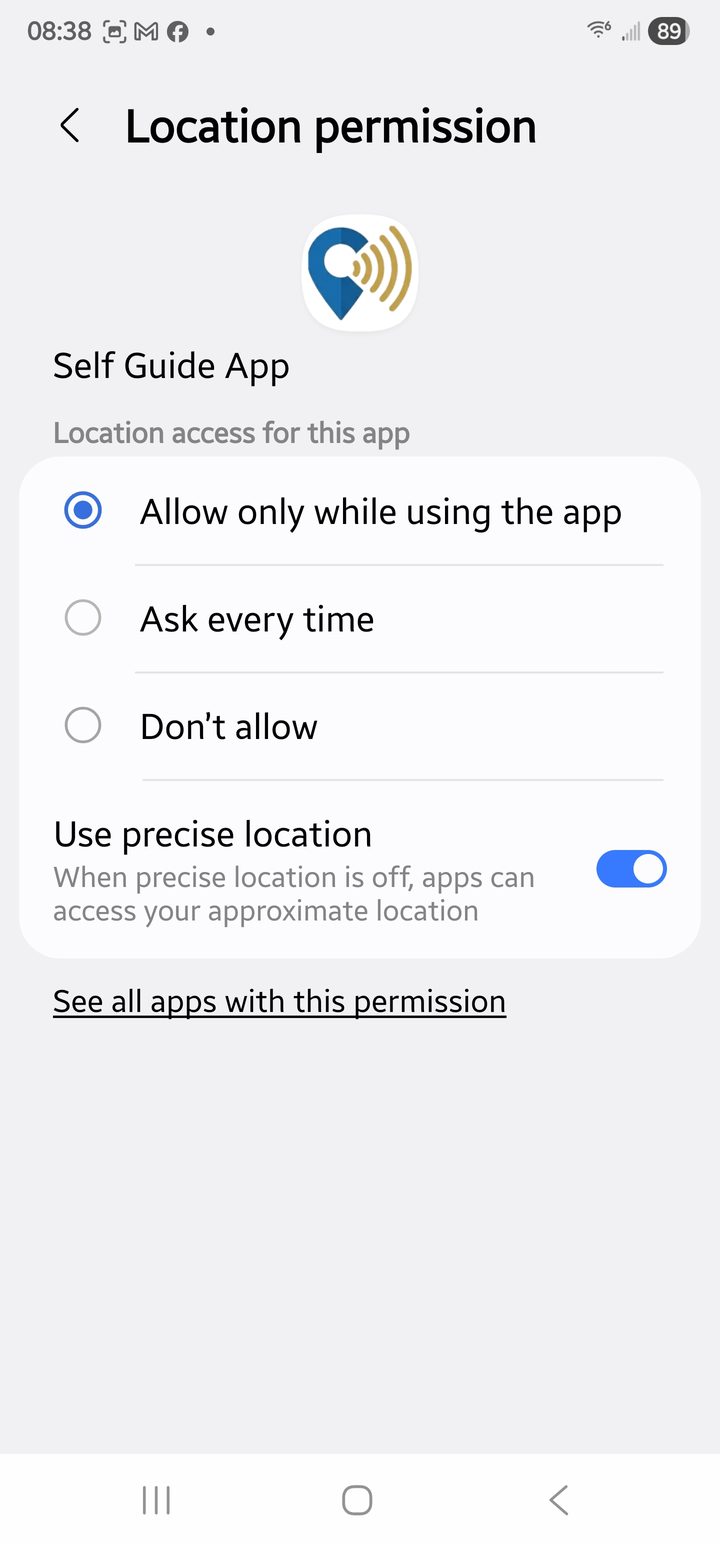
Choose Allow only while using the app (or Allow all the time) and leave Use precise location on — without it the guide cannot tell one street corner from the next.
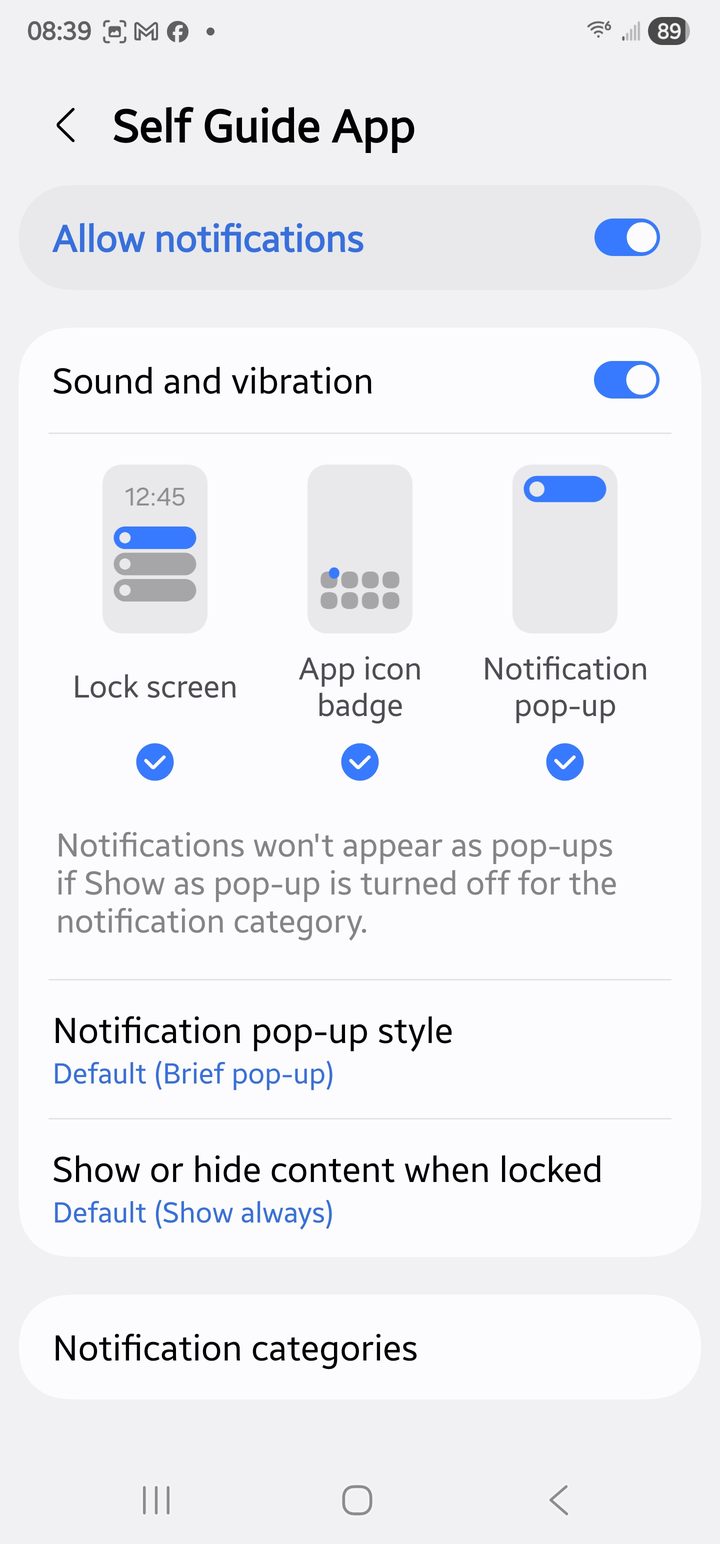
Then go back and turn Allow notifications on. That is all — the guide will now talk with the screen off.
One more switch, on the same screen.
Turn Manage app if unused off. With it on, Android quietly takes the location permission back if you have not opened the app for a few months — and the next time you travel the guide is silent with nothing on screen to explain why. The setting even says so in small print: "if the app is unused for a few months, the following permissions will be removed: Location".
Why does Google warn about it?
Because Play Protect warns about every app installed as a file, outside the Play Store. The wording is the same for a brand-new app as for a dangerous one — it means "this did not come from Google Play", not "we found something bad". The same app on Google Play installs with no warning at all.
The app is published by Antratel Pty Ltd, ABN 24 122 328 492, the same company that sold you the guide. It contains no advertising and collects nothing: it opens this website and feeds it your position while the tour runs. That is its whole job.
The iPhone app is in the App Store:

Download the newest test version of the Android app, before it reaches Google Play:
↓ Download the beta version